
How to Turn Product Updates into Animated Demo Videos with AI
How to Turn Product Updates into Animated Demo Videos
Every product launch deserves more than a wall of text. Customers rarely read long release notes, but they will watch a short, engaging video explaining what's new and why it matters.
Stop Writing, Start Showing
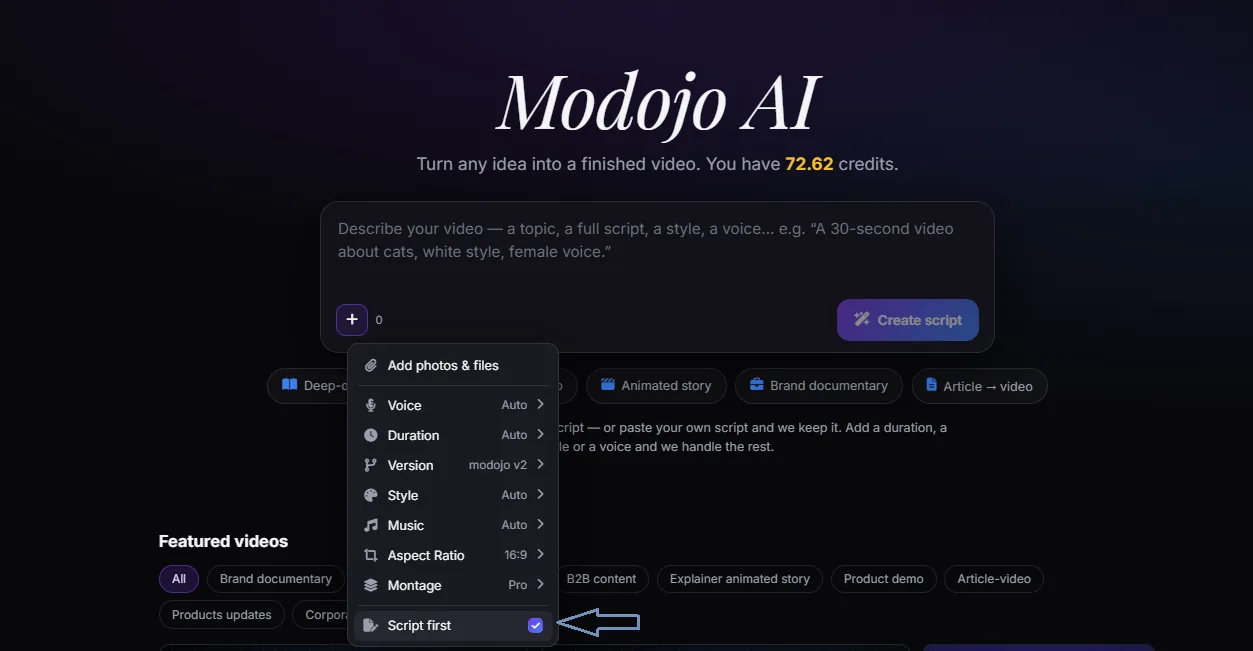
With ModojoAI, you simply describe what you want to create—or paste your existing content into a single prompt box—and the platform generates a complete animated video for you. No switching tools. No editing software.
The 3-Step Workflow to Instant Video
1. Gather Your ContentUse release notes, blog posts, webinar transcripts, documentation, or even a simple rough idea.
2. Paste It into ModojoAIPaste your content directly into the prompt window. No need to use ChatGPT separately.
3. AI Builds the VideoModojoAI generates the script, storyboard, voice-over, animations, and captions automatically.
One Prompt, Infinite Possibilities
| Content Source | Video Type | Primary Benefit |
|---|---|---|
| Release Notes | Product Demo | Higher feature adoption |
| Blog Post | LinkedIn Video | Increased social engagement |
| Documentation | Onboarding Video | Reduced support tickets |
| Meeting Notes | Sales Pitch | Faster deal closing |
Example Prompt: From Draft to Video
First, click the "Create Script" button, then paste this prompt directly into ModojoAI:
"Create a 60-second animated product demo for our latest feature release. Start with a strong hook, explain the customer problem, introduce the new feature, highlight three key benefits, and finish with a clear call to action."
Within minutes, you’ll have a polished animated video ready to review and share.
Ready to animate your next update?
Paste your notes or a prompt below to see ModojoAI in action.
One Prompt. One Platform. One Complete Video.